
Integrating an IDX tool (search, map, etc.) is easy using our IFRAME module.
- First figure out where you would like to input your IDX tool.
- Add a module on that page.
- Then, choose Integration from the tabs on the left and select the IFRAME module.
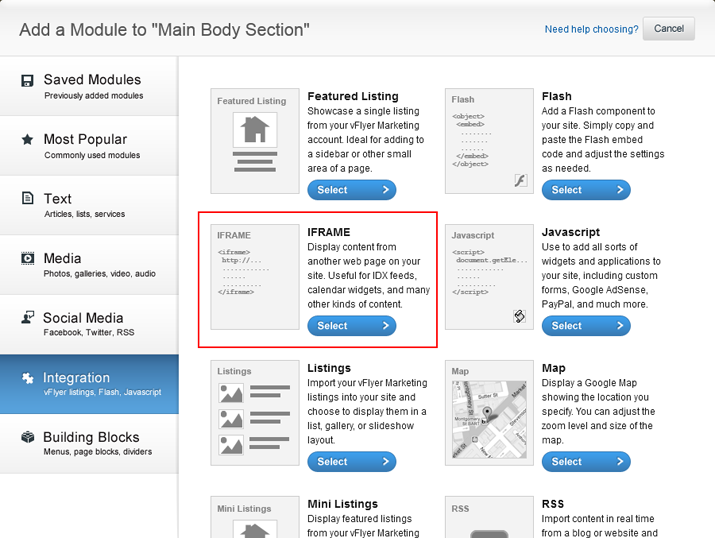
- In your IDX account, locate the page link that corresponds to the tool you would like to integrate.
- Copy that link and paste it into the Source URL field.

- Click Save & Add to Site to add your IDX tool to your website.
- If you would like to add another IDX tool to that page, start again from step 2.
Here is a help center article and video from IDX where you can get more information.
0 Comments