
With vFlyer Sites we offer 3 different ways to set-up the header area of your website.

The header is the area of your website that appears across the top of your site and throughout all of your pages. It is typically the first thing site visitors see when visiting your website so making sure that it contains all the right information and looks just the way you want is important.

Depending on what you are trying to accomplish in the header of your website, you can choose from the 3 options below:
1) Content Template (Fill-in-the-blank)
Creating a header with the content template is the quickest and easiest way to get a good-looking header - simply fill in the blanks of the content template, upload a logo and click Save & Close.
Note: If you entered information during the site wizard process some of the fields will be automatically populated.


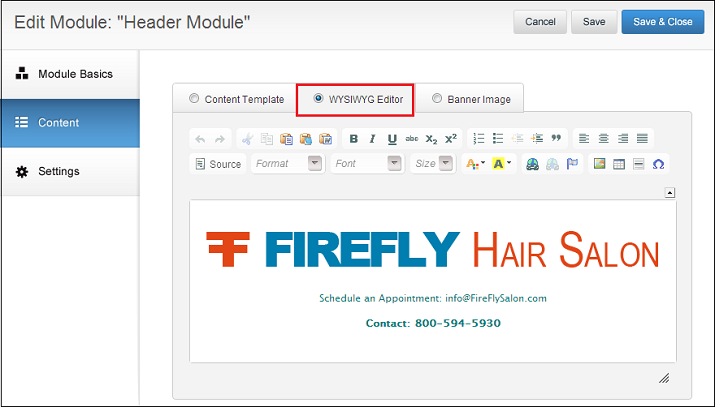
2) Custom Content (WYSIWYG Editor)
If you’re looking for more flexibility and customization within your header, you can use the WYSIWYG editor. The WYSIWYG editor is a blank canvas in which you can add text and upload images.
The best thing about the WYSIWYG editor is the ability to add whatever content you would like and control the formatting, alignment, color and size of text. You can also hyperlink text and modify the HTML/CSS within the source code.
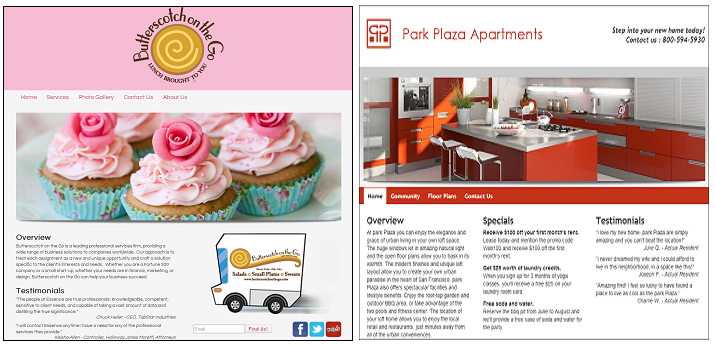
Here are a few good examples of headers using the WYSIWYG editor.
Below you will find HTML code to create a header using a table - shown on the right.
To use this HTML code follow these instructions.
<div id="C_align_14993648">
<table border="0" cellpadding="1" cellspacing="1" style="width: 1000px; ">
<tbody>
<tr>
<td>
<p>
</p>
<p>
[Enter Logo Here]</p>
<p>
</p>
</td>
<td style="text-align: right; ">
<p>
<br />
Phone: 800-594-5930 ex 1<br />
Email: support@vflyer.com<br />
</p>
</td>
</tr>
</tbody>
</table>
</div>
<p>
</p>
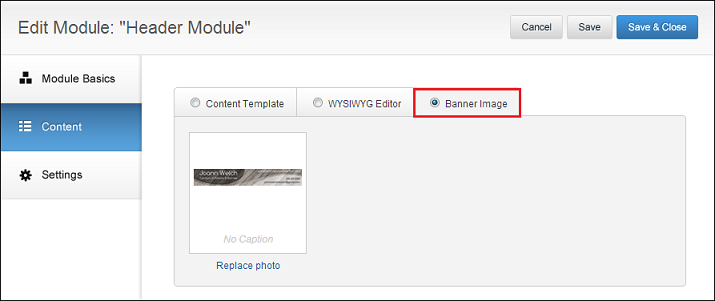
3) Banner Image
If you or someone you know is saavy on Photoshop or Paint, you have the option to create an image and upload it to your website as a header.
Using an online image editor such as PicMonkey is an easy way to create collages and add cool fonts for your header.
Things to keep in mind when creating your banner image:
1. Banner Dimensions - we recommend 1000 pixels wide and between 80-125 pixels in height. Most of our website templates are 1000 pixels wide so to create a compatible header we recommend images that are 1000 pixels wide.
2. Content - Make sure to include contact information in your header; company name, phone number, email and other pieces of relevant information are good things to display.
Lastly, if none of the options work for you and you would like to work with one of our in-house designers to create a header for your site please give us a call at 800-594-5930 ex 1 and we can set up a 30 minute consultation.

 Powerful Options- With TFF 2009 you can set limits to the amount of users you follow at any given time. Right after I setup my fan page
11 Comments