
There are a couple of different ways to add images to your site. The best way to display a single image is by creating a Picture Module.
- To get started, follow these directions for adding a module.
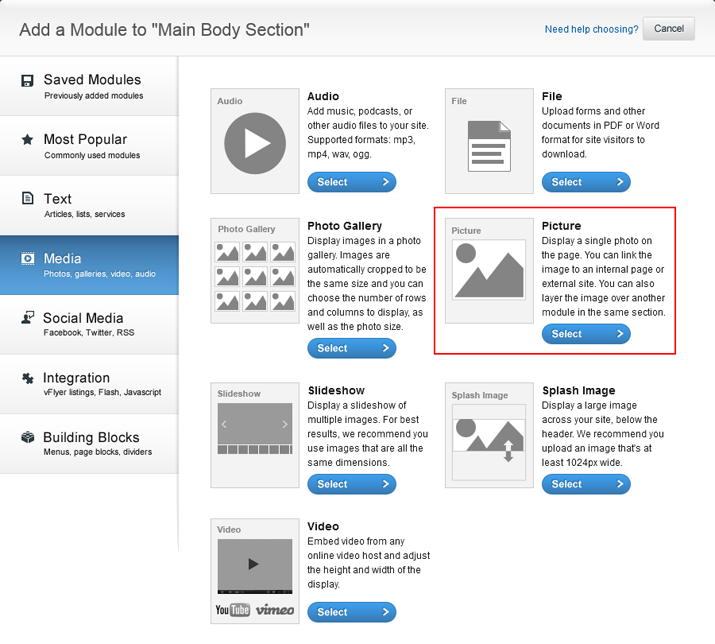
- Click the Media tab along the left-hand side of the Add a Module screen and select Picture.
- To upload pictures, you can browse on your computer, or choose a previously uploaded image from your library.
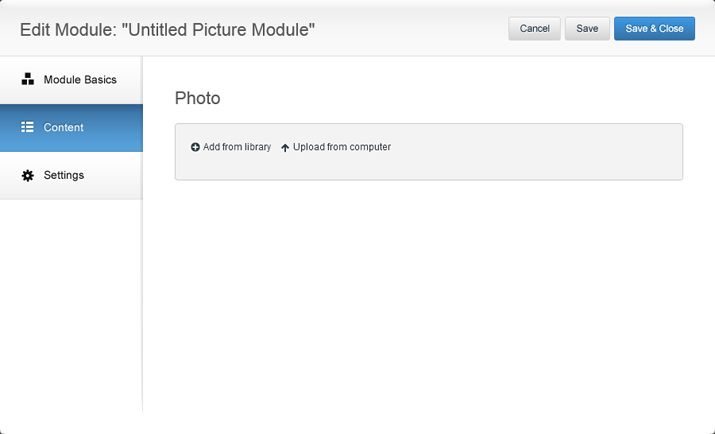
- To edit your Picture Module, you can change it by mousing over the module in the Site Editor, clicking the pencil icon. Clicking Settings will allow you to title the image and add a frame around the module. Use the Layer option to layer the Picture Module on top of another module. For more information about layering, click here.

0 Comments