
In some cases, you may want to display content from another website in your site. An IFRAME module makes that easy.
- To get started, add a module by mousing over the space you would like to add the module to and click Add Module.

- Then, choose Integration from the tabs on the left and select the IFRAME module.
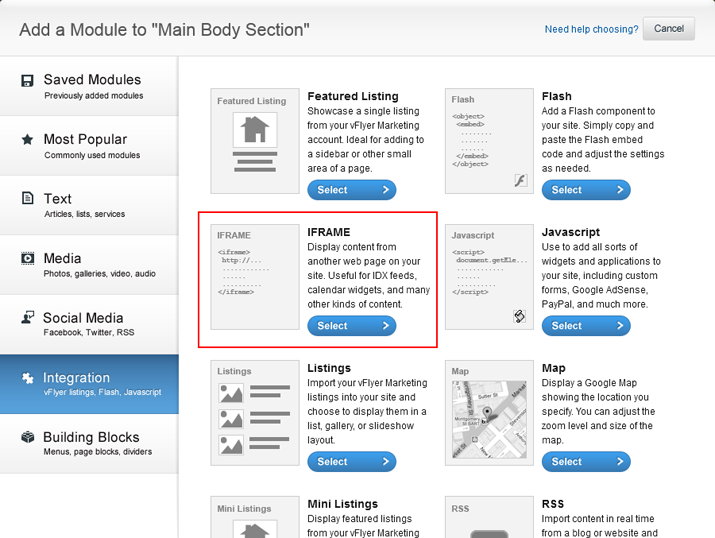
- In a new tab, open the website that you want to put in your IFRAME. Copy the URL.
- Next, paste the URL into the Source URL box. You can customize the alignment of the module and appearance of the scroll bar by modifying the settings.
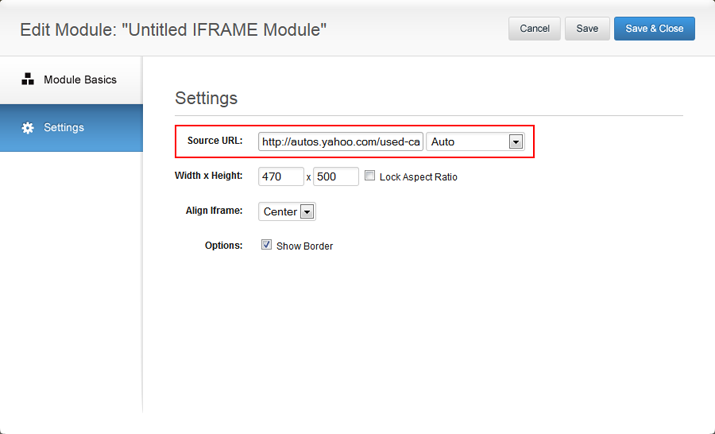
- Make sure to name your module before adding it to your site. Click Save & Close when you are finished.

0 Comments