
There may be more than one domain name that you want to point to your website, and that's easy to do in the vFlyer Sites Control Panel.
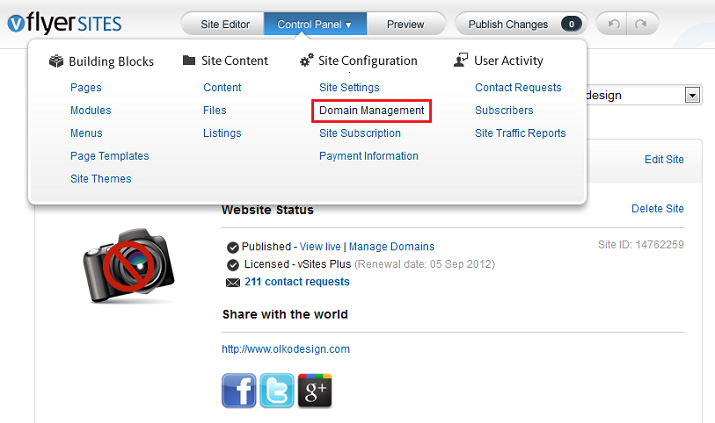
- From the Sites Dashboard, mouse over the Control Panel button and click Domain Management.
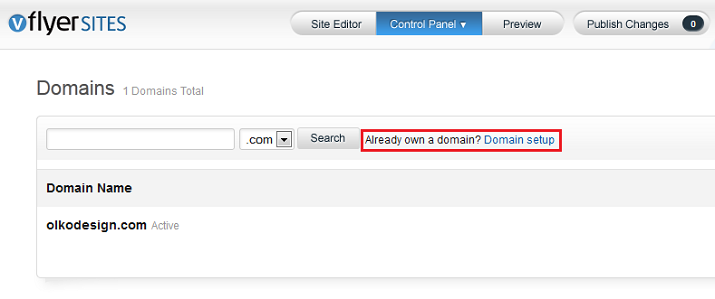
- Where it reads, "Already own a domain," click the Domain setup link.
- Enter the domain name in the field provided (leaving out www.) and click Configure.
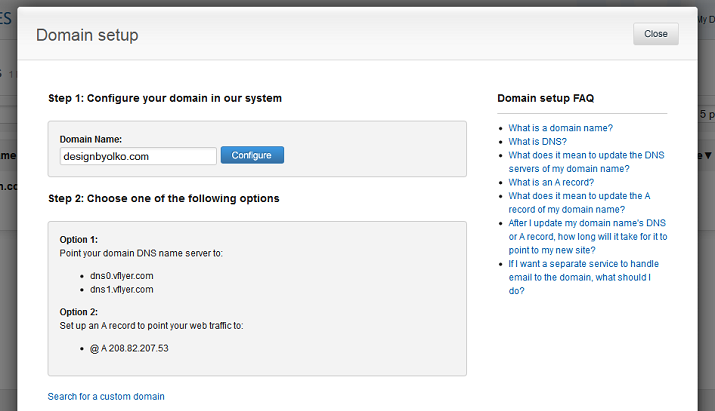
- Proceed with the domain name setup directions.
0 Comments